Generating an API key
You can create and manage API keys yourself inside the Zencargo app.
Keys are generated per user to allow us to monitor and manage access accordingly. Many companies create a machine-user on Zencargo for this purpose.
We highly recommend adhering to this practice and securely sharing credentials, to prevent your key being invalidated when its user is removed from your organisation.
To generate a key on a staging environment, you'll need to navigate to your custom domain, log in, and head to "Profile Settings" and then "API Keys".
To generate a key on production, visit https://app.zencargo.com/dashboard/settings/api-keys.
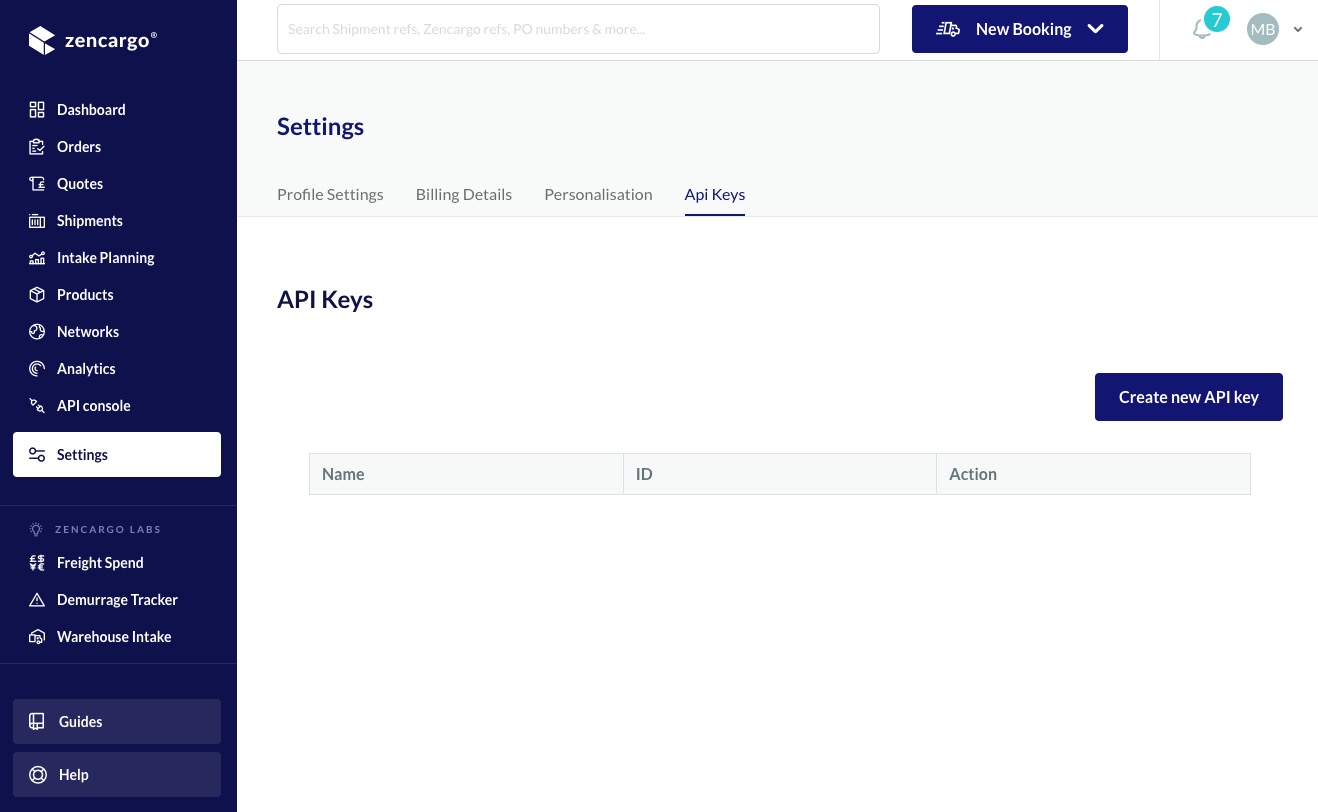
- Press "Create New API Key"
- Enter a name for the key (the name is just for you to be able to identify it later)
- Copy down the secret, this won't ever be accessible again
- The Key ID remains accessible in the UI until you delete it
NOTE: You will need the Key ID (the auto-generated UUID, not the name you entered) and the Secret to authenticate, so make sure you note down both before going any further. The name is simply a string for your benefit to allow you to designate between keys.
Here's an API Key example we're going to use in the next sections to perform our requests:
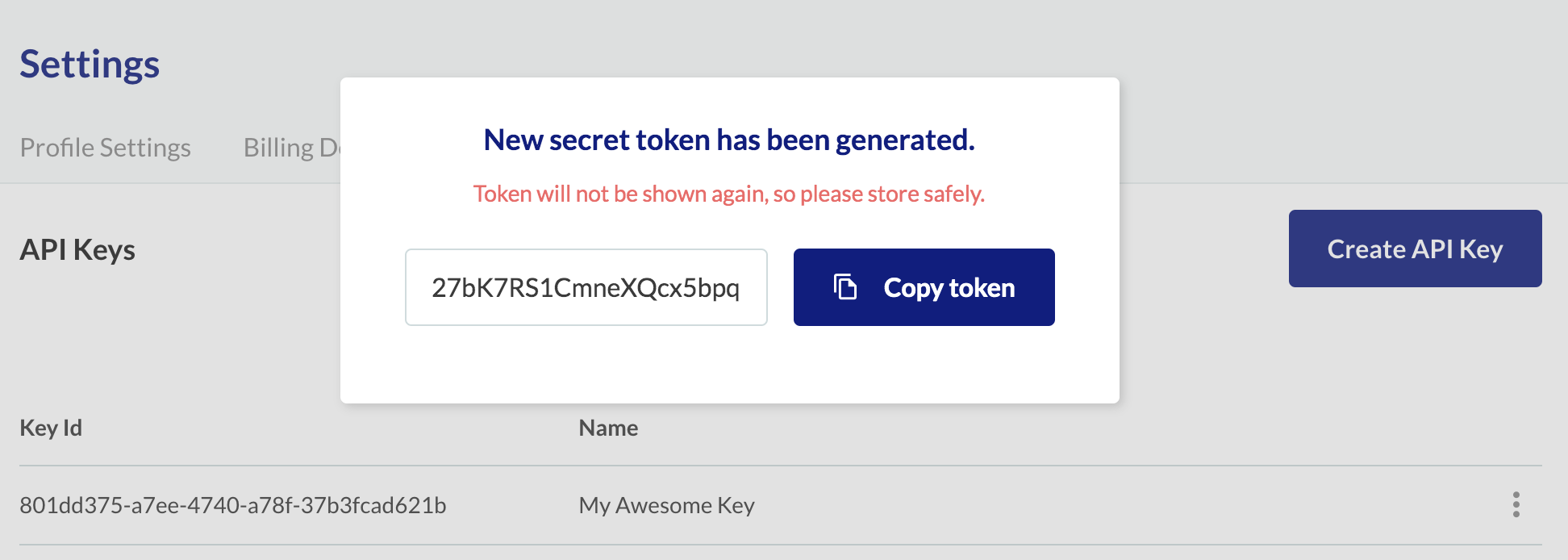
- Name:
My Awesome Key - Key ID:
801dd375-a7ee-4740-a78f-37b3fcad621b - Secret:
27bK7RS1CmneXQcx5bpq
Next Steps
- Now that we got our key, let's see how to use it in order to authenticate requests