Zencargo API: Webhooks
When certain actions are performed on Zencargo resources (Bookings, Purchase Orders etc.) they generate events. API clients can use Webhooks to subscribe to these events and receive notifications after these events occur in the platform.
Once you've set up a Webhook subscription, you can let your app execute code immediately after specific events occur, instead of having to make API calls periodically to check for latest updates. For example, you can rely on webhooks to trigger an action in your app when a new Booking has been created. By using webhooks subscriptions you can make fewer API calls overall, which makes sure that your apps are more efficient and update quickly.
Setting up Webhook subscriptions
To set up a webhook, you need to register both an HTTPS endpoint on your server (accepting POST requests) as a webhook receiver and also create a webhook in Zencargo app for the topic you're interested in. Zencargo then triggers a request (with a JSON payload) to your endpoint when your selected event occurs.
Creating a Webhook in Zencargo settings
To create a Webhook, visit https://app.zencargo.com/dashboard/settings/webhooks. This can be found in the "Profile Settings" menu under the "Webhooks" tab.
Note that if you can't see the
Webhookstab please contact your account manager at Zencargo and we'll enable the feature to your account
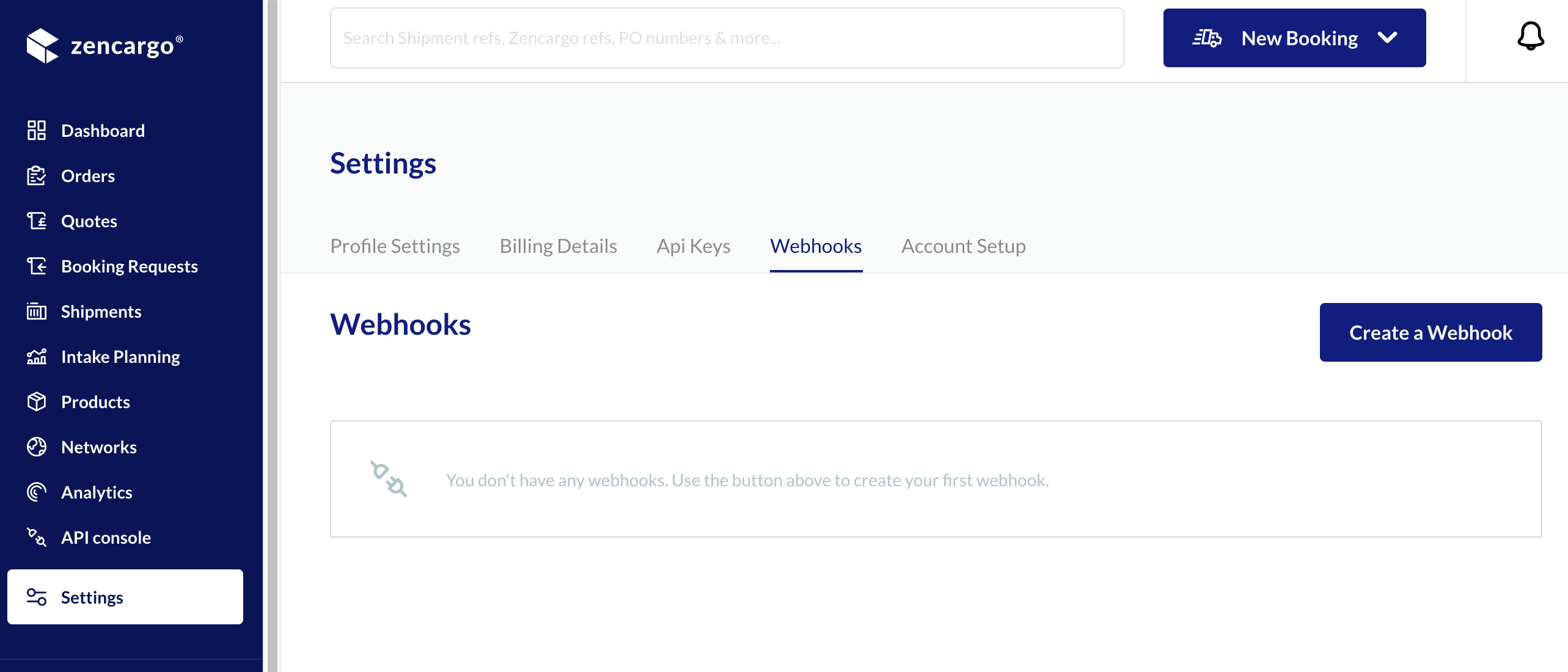
- Press "Create a Webhook"
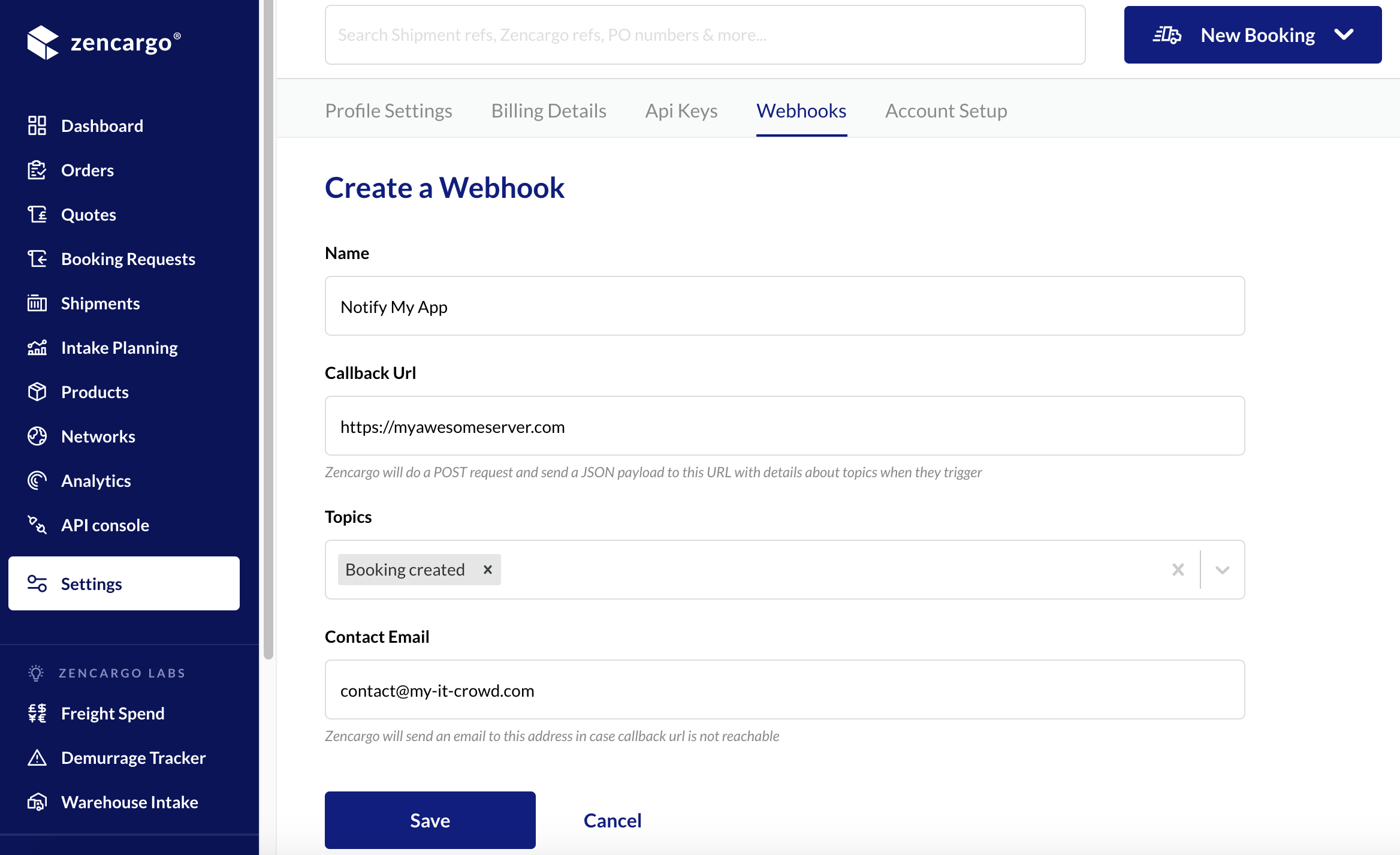
- Enter a name for your webhook (the name is just for you to identify it later)
- Enter a callback URL. This is your app's endpoint which will receive the notifications and has to be a secure (HTTPS) one.
- Choose the topics you're interested in receiving notifications.
- Provide a contact email address; this one will be used as a contact point in case your webhook gets disabled after we failed to reach your callback URL repeatedly.
- Press "Save"
- Copy down the sign token, this won't ever be accessible again. You will need the sign token to verify received requests on your server's endpoint, so make sure you note it down before going any further.
Webhook Requests
As mentioned above, the provided endpoint must be an HTTPS webhook address and should be able to correctly process event notification requests as described below. You should also verify incoming requests to make sure they originate from Zencargo.
Requests payload
Requests are POST requests with payloads containing a JSON object with the data for the webhook topic. The contents and structure of the payload is as follows:
  {
    "data":
    {
      "topic":"BOOKING_CREATED", # The topic which was triggered
      "targetType":"BOOKING",    # The topic's target entity type (Booking, Purchase Order etc.)
      "targetId":"ZTEST-452"     # The topic's target entity id (for example ZencargoReference for Bookings etc.)
    }
  }
Responding to a request
Your endpoint should acknowledge that it received data by sending a 200 OK response. Any response outside of the 200 range, including 3XX HTTP redirection codes, indicates that you did not receive the webhook. Zencargo app does not follow redirects and considers them to be an error response.
Retry policy
Webhook requests implement a five second timeout period and a retry period for subscriptions. Zencargo waits five seconds for a response to each a webhook endpoint. If there is no response, or an error is returned, then the app retries the connection 5 times over the next 5 hours. If there are 5 consecutive failures, then the webhook subscription is automatically disabled, and will not get triggered anymore. A warning email is sent to contact email address provided when the webhook was created.
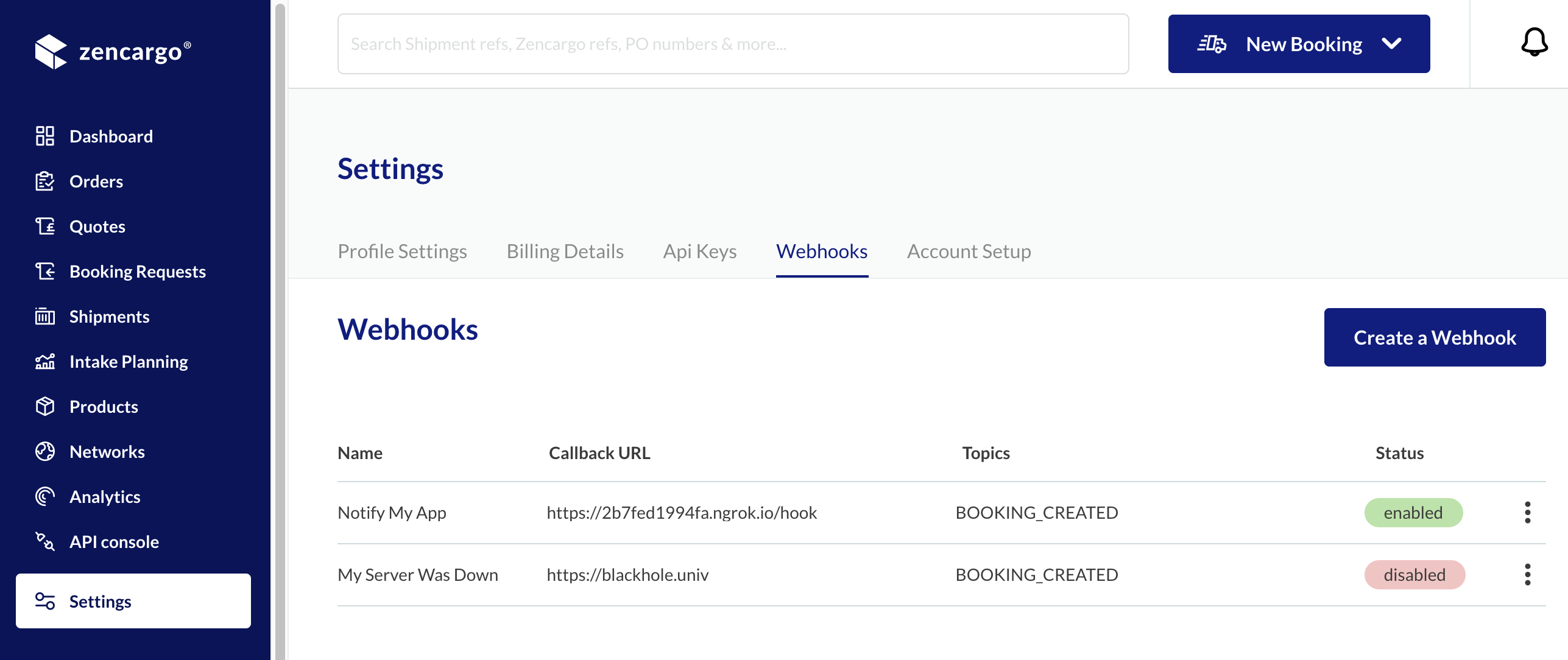
You can always check the status of the webhooks in Zencargo App by navigating to "Profile Settings" under "Webhooks" tab.
Verifying requests
Webhook requests can be verified by calculating a digital signature. Each request includes a base64-encoded Zencargo-Hmac-SHA256 header, which is generated using the Webhook's sign token along with the data sent in the request.
To verify that the request came from Zencargo, compute the HMAC digest following the example below and compare it to the value in the Zencargo-Hmac-SHA256 header. If they match, then you can be sure that the webhook was sent from Zencargo.
  # Zencargo app's sign token, accessible once upon Webhook creation
  SIGN_TOKEN = 'my_sign_token'

  # Compare the computed HMAC digest based on the shared secret and the request contents
  # to the reported HMAC in the headers
  def verify_webhook(data, hmac_header)
    calculated_hmac = Base64.strict_encode64(OpenSSL::HMAC.digest('sha256', SIGN_TOKEN, data))
    ActiveSupport::SecurityUtils.secure_compare(calculated_hmac, hmac_header)
  end
List of currently available webhook topics with their payloads
Topic: Lot Booked
Payload:
  {
    "data":
      {
         "topic":"LOT_BOOKED",
         "targetType":"PURCHASE_ORDER",
         "targetId":"4955b99a-447a-480e-9bbf-5c4a061481e1", # The purchase order's identifier in zencargo
         "accountId": "90ba511b-4585-4369-9130-dbad8bb7d" # Your account id
      }
  }
Topic: Booking Created
Payload:
{
  "data":
    {
       "topic":"BOOKING_CREATED",
       "targetType":"BOOKING",
       "targetId": "ZCOMPANY-1", # Zencargo reference - booking identifier in zencargo
       "accountId": "90ba511b-4585-4369-9130-dbad8bb7d" # Your account id
    }
}
Topic: Lot quantity changed
Payload:
{
  "data":
    {
       "topic":"LOT_QUANTITY_CHANGED",
       "targetType":"LOT",
       "targetId":"4955b99a-447a-480e-9bbf-5c4a061481e1", # The lot's identifier in zencargo,
       "accountId": "90ba511b-4585-4369-9130-dbad8bb7d" # Your account id
    }
}
Topic: Purchase order cargo ready dates changed
Payload:
{
  "data":
    {
       "topic":"PURCHASE_ORDER_CARGO_READY_DATES_CHANGED",
       "targetType":"PURCHASE_ORDER",
       "targetId":"4955b99a-447a-480e-9bbf-5c4a061481e1", # The purchase order's identifier in zencargo
       "accountId": "90ba511b-4585-4369-9130-dbad8bb7d" # Your account id
    }
}
Topic: Purchase order closed
Payload:
{
  "data":
    {
       "topic":"PURCHASE_ORDER_CLOSED",
       "targetType":"PURCHASE_ORDER",
       "targetId":"4955b99a-447a-480e-9bbf-5c4a061481e1", # The purchase order's identifier in zencargo
       "accountId": "90ba511b-4585-4369-9130-dbad8bb7d" # Your account id
    }
}
Topic: Packing List lines changed
Payload:
{
  "data":
    {
       "topic":"PACKING_LIST_LINES_CHANGED",
       "targetType":"PACKING_LIST",
       "targetId":"4955b99a-447a-480e-9bbf-5c4a061481e1", # The cargo's identifier in zencargo
       "accountId": "90ba511b-4585-4369-9130-dbad8bb7d" # Your account id
    }
}
Topic: Cargo container configuration changed
Payload:
{
  "data":
    {
       "topic":"CARGO_CONTAINER_CONFIGURATION_CHANGED",
       "targetType":"CARGO",
       "targetId":"ZTEST-8", # The cargo's identifier in zencargo
       "accountId": "90ba511b-4585-4369-9130-dbad8bb7d" # Your account id
    }
}
Topic: Cargo container number changed
Payload:
{
  "data":
    {
       "topic":"CARGO_CONTAINER_NUMBER_CHANGED",
       "targetType":"CARGO",
       "targetId":"ZTEST-8", # The cargo's identifier in zencargo
       "accountId": "90ba511b-4585-4369-9130-dbad8bb7d" # Your account id
    }
}
Topic: Shipment sailing schedule changed
Payload:
{
  "data":
    {
       "topic":"SHIPMENT_SAILING_SCHEDULE_CHANGED",
       "targetType":"SHIPMENT",
       "targetId":"ZTEST-8", # The cargo's identifier in zencargo
       "accountId": "90ba511b-4585-4369-9130-dbad8bb7d" # Your account id
    }
}
Topic: Shipment delivery estimate changed
Payload:
{
  "data":
    {
       "topic":"SHIPMENT_DELIVERY_ESTIMATE_CHANGED",
       "targetType":"SHIPMENT",
       "targetId":"ZTEST-8", # The cargo's identifier in zencargo
       "accountId": "90ba511b-4585-4369-9130-dbad8bb7d" # Your account id
    }
}
Topic: Shipment stage changed
Payload:
{
  "data":
    {
       "topic":"SHIPMENT_STAGE_CHANGED",
       "targetType":"SHIPMENT",
       "targetId":"ZTEST-8", # The cargo's identifier in zencargo
       "accountId": "90ba511b-4585-4369-9130-dbad8bb7d" # Your account id
    }
}